A ready-to-use Excel template with automatic category totals and a mileage helper — plus a short guide to building your own.
An expense report gathers everything you spent on a trip or project into one itemized sheet your employer or accountant can approve. The free Excel template below tallies every line, subtotals by category, and handles mileage — the one expense people always get stuck on.
Download the free Excel template (.xlsx)
No email required. Works in Excel for Windows, Mac, and the web.
Whatever the format, an expense report answers who, when, why, and how much:
=SUM(E9:E33) for the grand total, and =SUMIF(...) to subtotal each category.The downloadable template already has the category dropdown, the grand total, a per-category summary, and a mileage helper built in.
Mileage is reimbursed at a per-mile rate rather than from a receipt: business miles × the IRS standard mileage rate (2025: $0.70/mile). The template's mileage helper does the multiplication for you — you just need the miles.
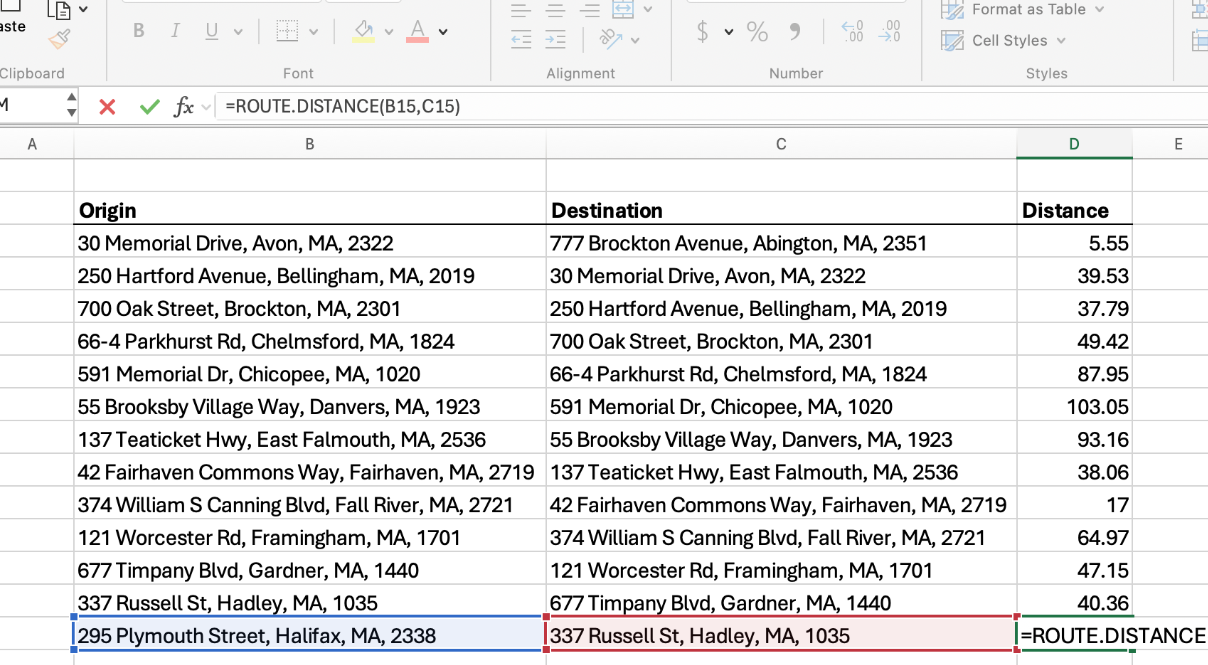
That's the tedious part, and where RouteMetrics helps: its
ROUTE.DISTANCE formula returns real driving miles between two addresses, right
in the cell, so you never open a maps tab:
=ROUTE.DISTANCE("123 Main St, Pittsburgh PA", "456 Market St, Philadelphia PA")
→ returns the road distance in miles. Multiply by the rate and you have a clean mileage line.
Get RouteMetrics on Microsoft AppSource See pricing
Who is claiming, the period and business purpose, then one line per expense with date, category, description, merchant, and amount — backed by receipts.
Multiply business miles by the IRS rate ($0.70/mile in 2025) and enter it as a Mileage line. RouteMetrics can calculate the miles from two addresses.
Yes — download it above and use it however you like.
Related: Mileage log template · Mileage reimbursement calculator · IFTA mileage worksheet (trucking) · All Excel templates & guides
This guide is general information, not tax advice. Rules and rates change; confirm current requirements with the IRS or a tax professional.
 RouteMetrics